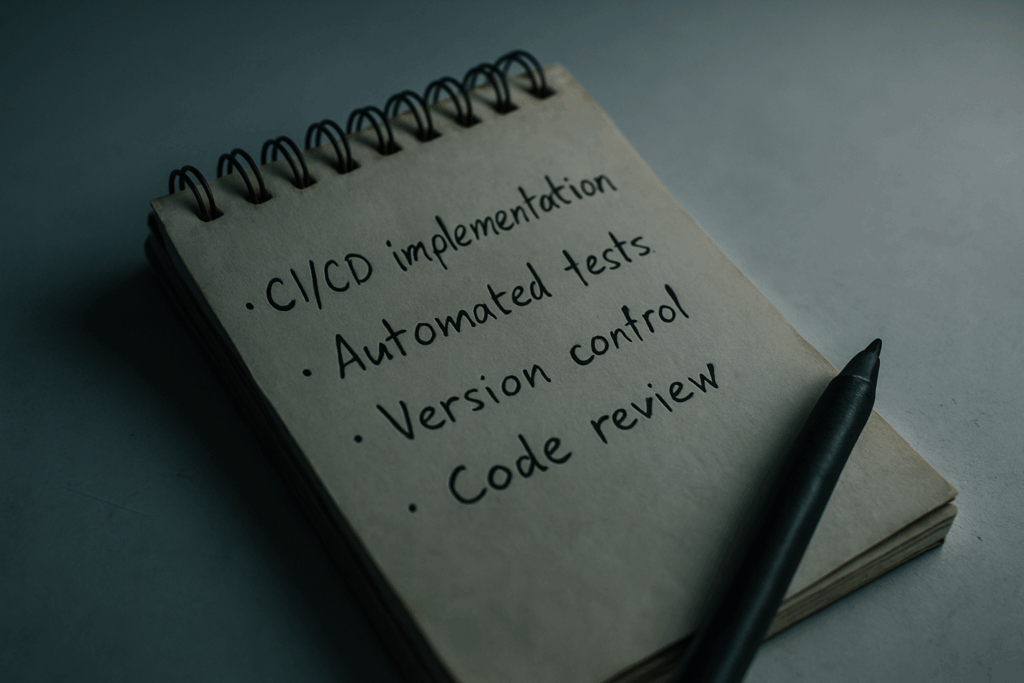
What Continuous Integration Really Means
Continuous Integration, or CI, is a simple yet powerful idea: take small code changes, merge them into a shared repository, and do it often. This isn’t about dumping a bunch of code at the end of the week. It’s about keeping the main branch clean, functional, and ready to ship at any point.
The purpose? Catch bugs early, automate the dull stuff, and move fast without breaking things. Think of it as setting a daily routine for your code a feedback loop that keeps your team aligned and your product stable.
By 2026, CI isn’t just nice to have. It’s the backbone of how modern teams build software. If you’re not integrating often, you’re probably sitting on a pile of problems waiting to surface. And when they do, they’ll hit hard. CI helps avoid that mess.
Why Teams Use CI in 2026
Software moves fast or it stalls. Continuous Integration (CI) helps teams stay in motion. One of the biggest wins: fast feedback. Every time a developer pushes code, the CI system kicks in and flags issues almost instantly. No waiting around. Bugs get caught before they tangle into messier problems.
It also kills that old pain point: “It works on my machine.” With CI, everyone’s changes merge into a shared environment. That means errors tied to misaligned setups or overlooked dependencies are way less likely to slip through. The result? Teams spend less time arguing over what broke, and more time fixing it.
Then there’s the boring stuff testing, linting, builds. CI automates all of it. So the team doesn’t have to babysit repetitive tasks every time someone pushes code. And because these steps happen early and often, shipping doesn’t have to wait for a heroic Friday bug fix spree. Instead, code stays ready to go. Any day of the week.
This isn’t a “nice to have” anymore. In 2026, it’s the baseline for teams that want to move quickly without breaking everything in the process.
The CI Workflow: What It Looks Like in Practice

Knowing how Continuous Integration (CI) works in real time can help demystify the entire process. Here’s a breakdown of the CI workflow most teams follow in 2026:
Step by Step Breakdown
Step 1: Code Commit
A developer writes code and commits it to the shared version control repository (such as GitHub, GitLab, or Bitbucket).
Step 2: Automatic CI Trigger
Once the code is pushed, the CI system kicks in automatically. Most pipelines begin by:
Fetching the latest code
Running build scripts
Executing automated tests (unit, integration, etc.)
Step 3: Feedback and Action
If the code passes all checks, it’s cleared to move forward either to staging, deployment, or further review.
If it fails, the developer receives detailed feedback so they can fix issues quickly.
Tools That Make It Happen
Modern CI platforms simplify this process, often requiring only minimal setup:
GitHub Actions tightly integrated with GitHub for seamless workflows
GitLab CI/CD strong built in features for pipelines and deployments
CircleCI performance focused builds with configuration flexibility
Extending Your Pipeline
Many teams go beyond build and test steps by integrating additional automation services including:
Code quality tools (e.g., ESLint, SonarQube)
Security vulnerability scanners
Deployment automation to staging or production environments
The Takeaway
CI acts like your project’s silent co pilot checking everything that goes into the codebase, making sure it’s safe, stable, and ready to move forward. With the right tools, the process becomes repeatable, predictable, and fast.
Connecting the Dots: CI and Dependency Management
CI tools are only as reliable as the code they run and that includes the packages your project pulls in. Solid dependency management separates pipelines that hum along quietly from those that crack without warning. The smallest version conflict or deprecated module can throw your whole build off and waste hours in debugging.
Treat your dependencies like part of your source code. Keep them updated, lean, and consistent across environments. Align your update cycles with CI testing triggers, so new versions don’t slip through unchecked. Automate checks against known vulnerabilities and outdated packages, but always review major upgrades before they hit production.
A healthy pipeline isn’t just about speed. It’s about confidence knowing your builds won’t suddenly fail because some library changed its mind overnight. If you’re ready to go deeper, check out understanding dependency management in modern projects.
What Beginners Should Focus On
Before CI can do its job, you’ve got to get the basics right. That starts with Git. Know how to branch, commit, push, and merge. CI builds on version control, so if you’re not comfortable with Git, you’re already behind.
Next, write clean code that can be tested. Even the most powerful CI setup can’t save projects that are held together with duct tape. Start simple: learn how to write and run unit tests. Keep your functions small. Make them do one thing, and do it well.
Don’t try to automate everything at once. Begin with tiny improvements a simple test script, a linter on push, or a build that runs on every merge. Let each piece prove its value.
In practice, reliable CI has less to do with flashy plugins or 200 line YAML files and more to do with habit. Consistent commits. Clear code. Thoughtful increments. That’s how you build pipelines that work.
Forget the clever hacks. Focus on stability. Keep it boring and it’ll keep working.
Final Thoughts
CI Is Now a Standard, Not a Bonus
By 2026, Continuous Integration has shifted from being a nice to have to a fundamental practice in modern software development. Teams that skip it face slower delivery, more bugs, and mounting technical debt. If you’re building code meant to scale and last, CI isn’t something to add later it’s a foundation to build on from day one.
CI ensures consistent, predictable builds
It protects against regressions and integration failures
Widely adopted across industries, from startups to enterprise
Start Small, Scale with Intention
Adopting CI doesn’t mean setting up an elaborate pipeline on day one. In fact, the most successful teams begin with just a few key automations and expand over time. The trick is to make each change purposeful not just complex for complexity’s sake.
Steps to Get Started:
Automate basic tasks first: run tests, lint code, perform builds.
Focus on reliability before adding complexity.
Evaluate tools that integrate well with your existing workflow.
Review and optimize as your codebase matures.
The ultimate goal: let CI become a habit, effortlessly reinforcing quality across your whole development lifecycle.
CI doesn’t stop problems from happening but it ensures they’re spotted early, fixed fast, and avoided in the future.
 Ask Patricia Campbelloros how they got into latest technology trends and you'll probably get a longer answer than you expected. The short version: Patricia started doing it, got genuinely hooked, and at some point realized they had accumulated enough hard-won knowledge that it would be a waste not to share it. So they started writing.
What makes Patricia worth reading is that they skips the obvious stuff. Nobody needs another surface-level take on Latest Technology Trends, Gadget Reviews and Comparisons, Expert Analysis. What readers actually want is the nuance — the part that only becomes clear after you've made a few mistakes and figured out why. That's the territory Patricia operates in. The writing is direct, occasionally blunt, and always built around what's actually true rather than what sounds good in an article. They has little patience for filler, which means they's pieces tend to be denser with real information than the average post on the same subject.
Patricia doesn't write to impress anyone. They writes because they has things to say that they genuinely thinks people should hear. That motivation — basic as it sounds — produces something noticeably different from content written for clicks or word count. Readers pick up on it. The comments on Patricia's work tend to reflect that.
Ask Patricia Campbelloros how they got into latest technology trends and you'll probably get a longer answer than you expected. The short version: Patricia started doing it, got genuinely hooked, and at some point realized they had accumulated enough hard-won knowledge that it would be a waste not to share it. So they started writing.
What makes Patricia worth reading is that they skips the obvious stuff. Nobody needs another surface-level take on Latest Technology Trends, Gadget Reviews and Comparisons, Expert Analysis. What readers actually want is the nuance — the part that only becomes clear after you've made a few mistakes and figured out why. That's the territory Patricia operates in. The writing is direct, occasionally blunt, and always built around what's actually true rather than what sounds good in an article. They has little patience for filler, which means they's pieces tend to be denser with real information than the average post on the same subject.
Patricia doesn't write to impress anyone. They writes because they has things to say that they genuinely thinks people should hear. That motivation — basic as it sounds — produces something noticeably different from content written for clicks or word count. Readers pick up on it. The comments on Patricia's work tend to reflect that.